


Motion Magic:
All Your Physics Learning In One Unified App

Build, simulate, and solve problems in one place.

Launch Motion Magic

(in development)

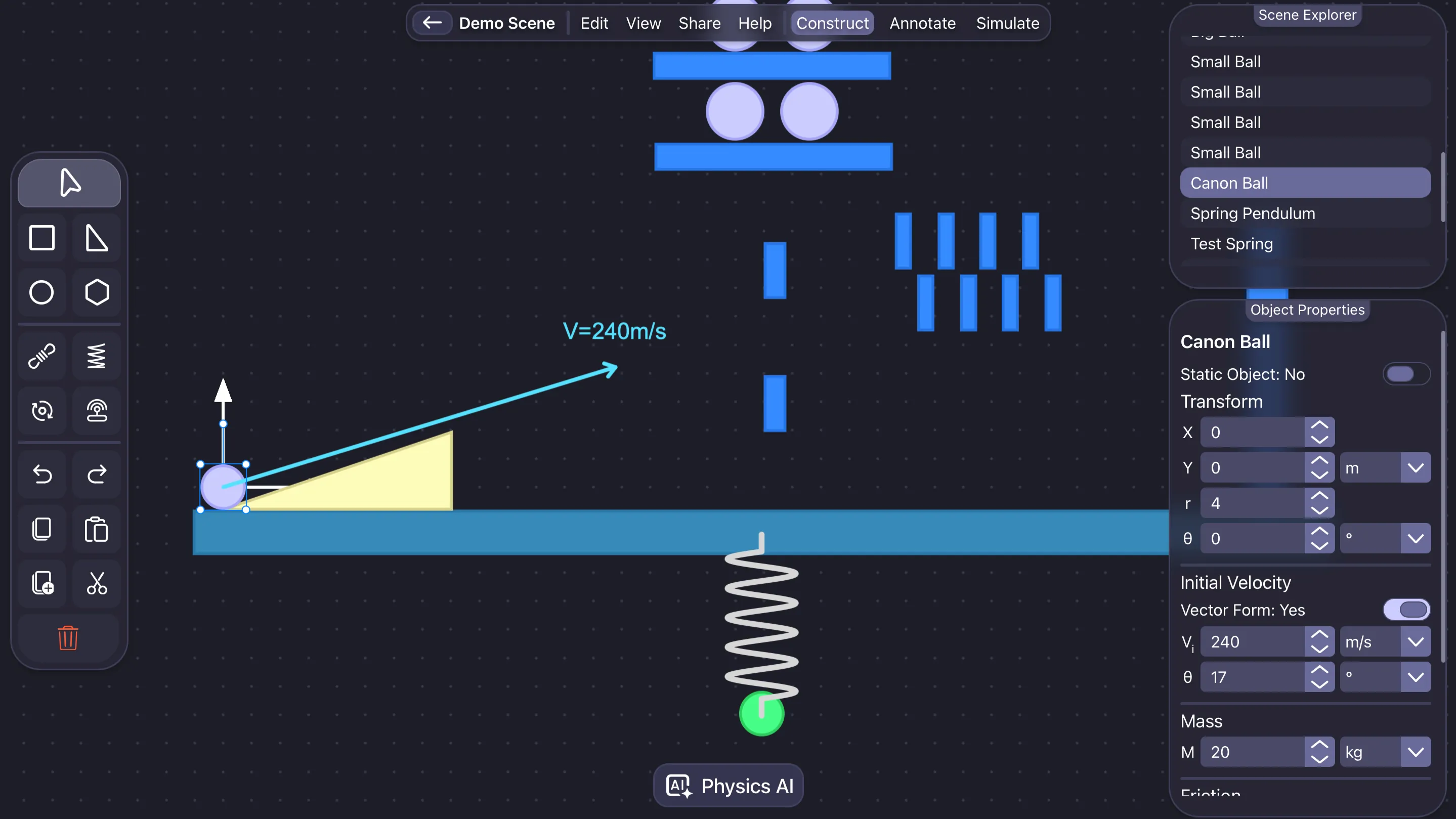
Motion Magic physics simulator home dashboard showing unified learning workspace

Used by students from

MIT UCB UCSD

Physics is hard, but with Motion Magic,
you have everything you need in one place to learn and excel.

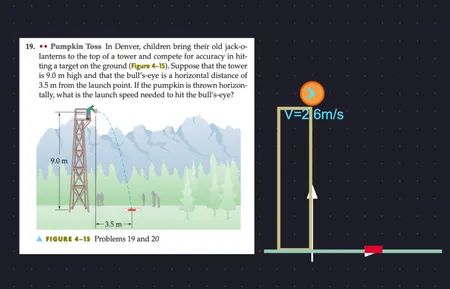
Convert Texts & Screenshots Into Simulations

You type or upload a screenshot, the engine builds the entire problem setup.

Analyze Forces and Motion

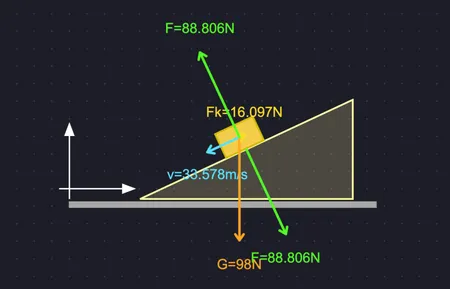
See free-body diagrams, acceleration, velocity, momentum, and clear graphs.

Highly Customizable Simulations

Every object, ramp, pulley, spring, is a manipulable body that can be adjusted to match the problem you are solving.

Intelligent Physics Problem Solver

Experience simple and easy problem-solving with step-by-step explanations, enhancing your understanding and saving time.

A closer look at Motion Magic

A full view of the app so you can understand how each part behaves when the system runs.

Motion Magic physics simulator UI overview with scene editor and analyzer panels
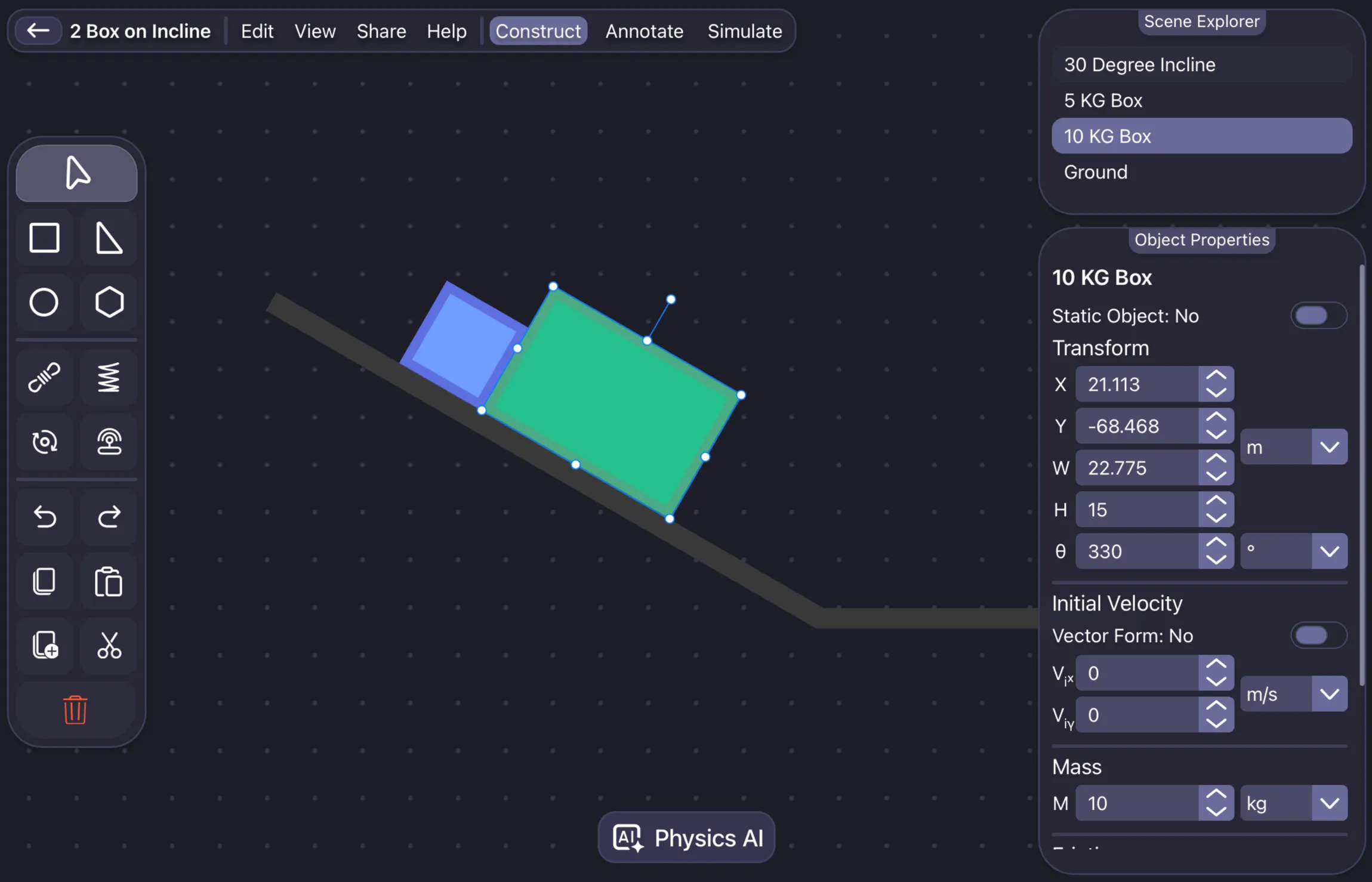
Scene Editor

Simplified problem modeling

Create, edit, and customize scenes with ease using our intuitive visual editor. Drag, scale, move, rotate, and more, with support for undo, redo, and copy-paste functionality. Design physics simulations easily.
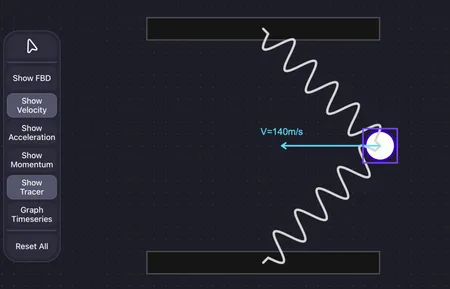
Motion Magic scene editor simplifying physics problem modeling
Simulation Analyzer

Understand the motion clearly

Run the simulation in real-time and watch how each scenario unfolds. The analyzer shows how motion changes over time in a way that makes the problem easy to understand.

Motion Magic simulation analyzer drawing live free-body diagram of a block on a ramp
Note Taker

Work and write in one place

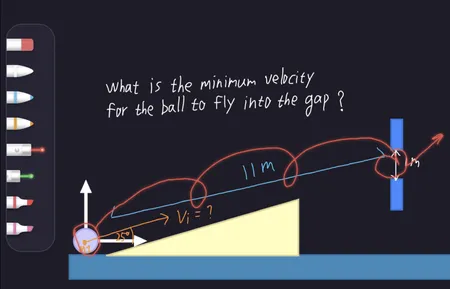
You can take note and solve problems all in one place. Explore a wide range of pen tools, from standard pens to highlighters and laser pointers, all fully customizable with options for color, thickness, and transparency.

Motion Magic note-taking canvas for solving physics problems digitally

Meet the AI Physics Simulator

Turn texts or screenshots into fully interactive physics simulations.
Motion Magic's AI understands your input, it builds objects and sets up forces automatically so you can focus on learning.

Solve physics problems Analyze objects in a scene Generate example simulations
AI Scene Generator

Convert still image to simulation in seconds

Type a physics question or upload a photo of one. The AI recognizes objects, interprets values, and instantly creates a working setup inside the simulator—ready for you to analyze or modify.

AI scene generator building simulation from text
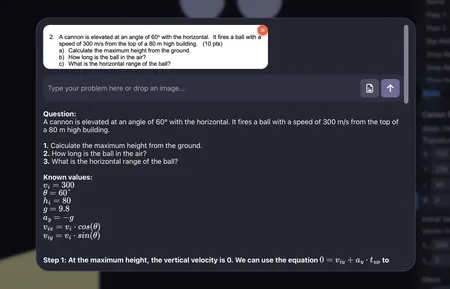
AI Problem Solver

Step-by-step solutions powered by reasoning

The built-in AI solver breaks down each physics problem, explains the reasoning, and shows equations and results in clear steps—just like working through it with a tutor.

AI physics solver showing step-by-step reasoning
AI Physics Simulator

What makes Motion Magic different

Motion Magic is an AI physics simulator built for learning, not shortcuts. It understands the problems written in text or captured from screenshots and creates full, interactive scenes in seconds. The same system can walk you through each step of the solution, helping you see how forces, motion, and energy connect.

Unlike static solvers, Motion Magic's AI understands the context to guide your reasoning. It can show the full answer when you need it, but its goal is to help you think like a physicist while keeping every calculation visible and verifiable.